BeagleBoard xM Usage
The BeagleBoard xM has a standard RS232 connector accessible on the female DB9 connector P8. You can use this port to run a serial console, allowing you to view boot/kernel messages and also log in.
The serial port settings for the terminal emulator are 115200/8N1, no handshaking.


Configure the Debug Buddy as a USB serial adapter:
- Connect J7 to J9
- Connect J10 to J5 (RS232, DB9M 4 pin connector), crossing the TX/RX and the RTS/CTS wires on J5 as shown here
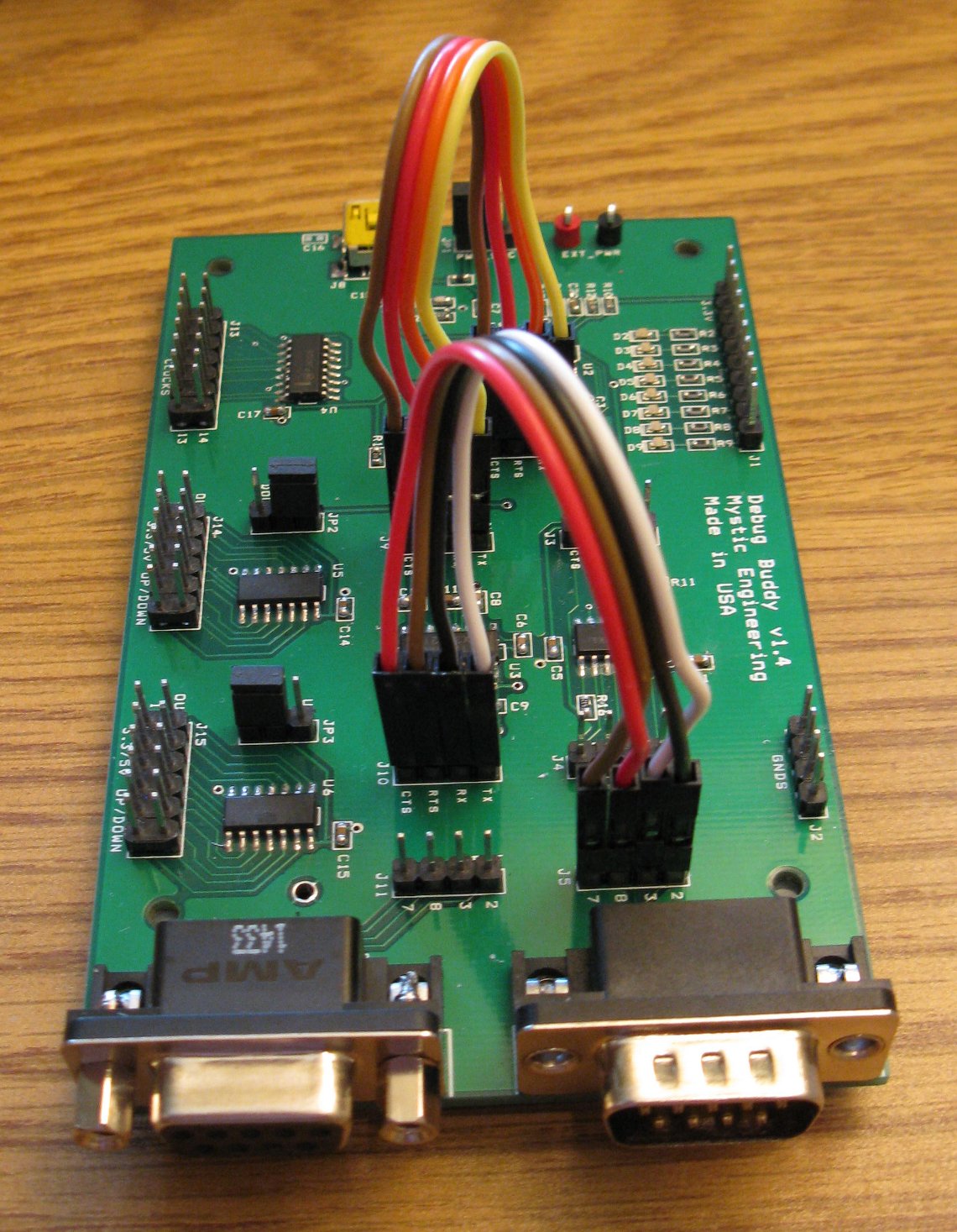
Finally, connect the BeagleBoard xM to the Debug Buddy using a standard DB9 serial cable.
